


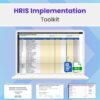


Plan, Execute, and Optimize Your HRIS Implementation with Confidence
This premium, plug-and-play HRIS Implementation Toolkit is built specifically for solo HR professionals, People Ops teams, and tech-driven SMB founders navigating the complex journey of selecting, migrating to, and integrating a new Human Resource Information System (HRIS).
Whether you’re upgrading from spreadsheets or consolidating disconnected tools, this toolkit delivers a full implementation and RFP suite — saving you 40+ hours of setup time while ensuring data integrity, vendor accountability, and compliance from day one.
Visit our HR Technology Launch Hub for more HRIS resources.
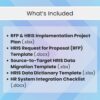
What’s Inside the Toolkit?
- HRIS RFP + Project Plan (Excel)
A dual-purpose file combining a project Gantt chart with an RFP process tracker. Timeline includes key milestones from vendor selection to go-live. - HRIS Request for Proposal (RFP) Template (Word)
A 14-section, fully customizable Word document aligned with SMB needs. Includes evaluation criteria, technical/functional requirements matrix, and pre-filled success metrics. - HRIS Data Migration & Conversion Template (Excel)
A smart source-to-target Excel tool with 107 built-in formulas for transforming raw exports into validated, import-ready formats. Includes real-time quality checks and migration readiness scoring. - HRIS Data Dictionary Template (Excel)
A centralized data inventory template that defines fields, types, validations, and ownership across all systems. Ideal for reducing integration errors and improving compliance documentation. - HR System Integration Checklist (Word)
Covers end-to-end integration from API scope to post-go-live testing. Includes a 10-part checklist covering SSO, audit trails, webhook triggers, sandbox testing, and escalation protocols.
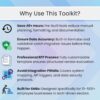
Built for Real-World HR Challenges
- Time-Saving: Designed to reduce HRIS implementation time by up to 50%
- Data Accuracy: Prevent costly migration errors with real-time validation and field mapping logic
- Vendor Accountability: Pre-built RFP template ensures vendors respond to your real requirements
- SMB-Friendly: Built for companies with 10–500+ employees across tech, SaaS, e-commerce, healthtech, and more
- Compliance-Ready: Addresses SOC 2, GDPR, EEO, and data encryption standards
- Tool-Agnostic: Compatible with BambooHR, Rippling, Gusto, Paylocity, Namely, Deel, and other modern HRIS platforms
Ideal For:
- HR professionals leading their first or second HRIS rollout
- Tech founders who want structured implementation without hiring consultants
- HR consultants standardizing delivery for SMB clients
- Operations or People Ops teams managing internal systems integration
Toolkit Contents (for visual product listing):
- ✅ RFP & HRIS Implementation Project Plan (Excel)
- ✅ 14-Section RFP Template with Evaluation Criteria (Word)
- ✅ Source-to-Target HRIS Data Migration Template (Excel)
- ✅ HRIS Data Dictionary Template with Field Mapping (Excel)
- ✅ End-to-End HR System Integration Checklist (Word)
Legal Disclaimer
This product is provided “as is” without any warranties or guarantees of any kind, either express or implied. HR Launcher Lab makes no representations regarding the accuracy or applicability of the included materials for any specific use case. Use of this product does not constitute legal or compliance advice. Always consult your internal counsel or compliance team.
Keywords:
- HRIS implementation toolkit
- HRIS RFP template for SMB
- HR data migration Excel template
- HR system integration checklist
- HRIS project plan template
- SMB HRIS selection guide
- HR software implementation kit
- source to target HR data conversion
- HR data dictionary template Excel
- how to migrate to a new HRIS
- HR tech stack for growing businesses
FAQs
- What is an HRIS Implementation Toolkit and why do SMBs need it? A: An HRIS Implementation Toolkit is a bundle of pre-built templates and project planning tools that help small and mid-sized businesses (SMBs) select, migrate to, and launch a new Human Resource Information System. It streamlines RFP creation, data migration, and systems integration while saving time and ensuring data accuracy.
- How does the HRIS Data Migration Template work? A: The Excel-based HRIS Data Migration Template uses a source-to-target transformation method. You paste raw HR exports into “source” tabs, and formulas automatically format and clean the data in “output” tabs for import into your new HRIS. It includes over 100 built-in formulas and live error validation.
- What HR software platforms is this toolkit compatible with? A: The toolkit is compatible with most leading HR platforms including BambooHR, Rippling, Gusto, HiBob, Namely, ADP, Paylocity, Zenefits, Justworks, and more. It uses standard field formats suitable for CSV or Excel import.
- Can this toolkit help with HRIS vendor evaluation and selection? A: Yes, the toolkit includes a full HRIS RFP (Request for Proposal) template tailored for SMBs. It helps you define system requirements, compare vendors, and conduct structured evaluations using scoring criteria and success metrics.
- Is this toolkit suitable for startups or only for established companies? A: It’s designed for both. Startups with 10–50 employees and scaling businesses with up to 500+ employees will benefit from the structured templates and automation features that reduce errors and implementation delays.
- Do I need technical expertise to use these HRIS templates? A: No advanced tech skills are needed. All Excel templates are pre-formatted with formulas, dropdowns, and instructions. Anyone with basic Excel knowledge can use them effectively.
- How do I ensure data accuracy during HRIS migration? A: Use the Data Validation Dashboard included in the toolkit to catch issues like missing fields, duplicates, and invalid formats before importing. The templates also include dropdown validation and transformation logic.
- What’s the difference between this and hiring an HRIS consultant? A: This DIY toolkit offers the same structure and professional standards consultants use—without the $3,000–$6,000 price tag. It’s ideal for in-house HR or People Ops teams managing implementation independently.
- Is this a one-time purchase? Can I reuse it? A: Yes. This is a one-time purchase for unlimited internal or client-side use. You can reuse it for future HRIS implementations, migrations, or vendor comparisons.
- Does this product include support? A: You can receive assistance with general questions during the first 14 days following purchase. This does not include any custom configurations or installation services. However, the toolkit is self-explanatory and comes with built-in documentation, field mapping, and sample data to help you get started fast.